

Every order, as it happens
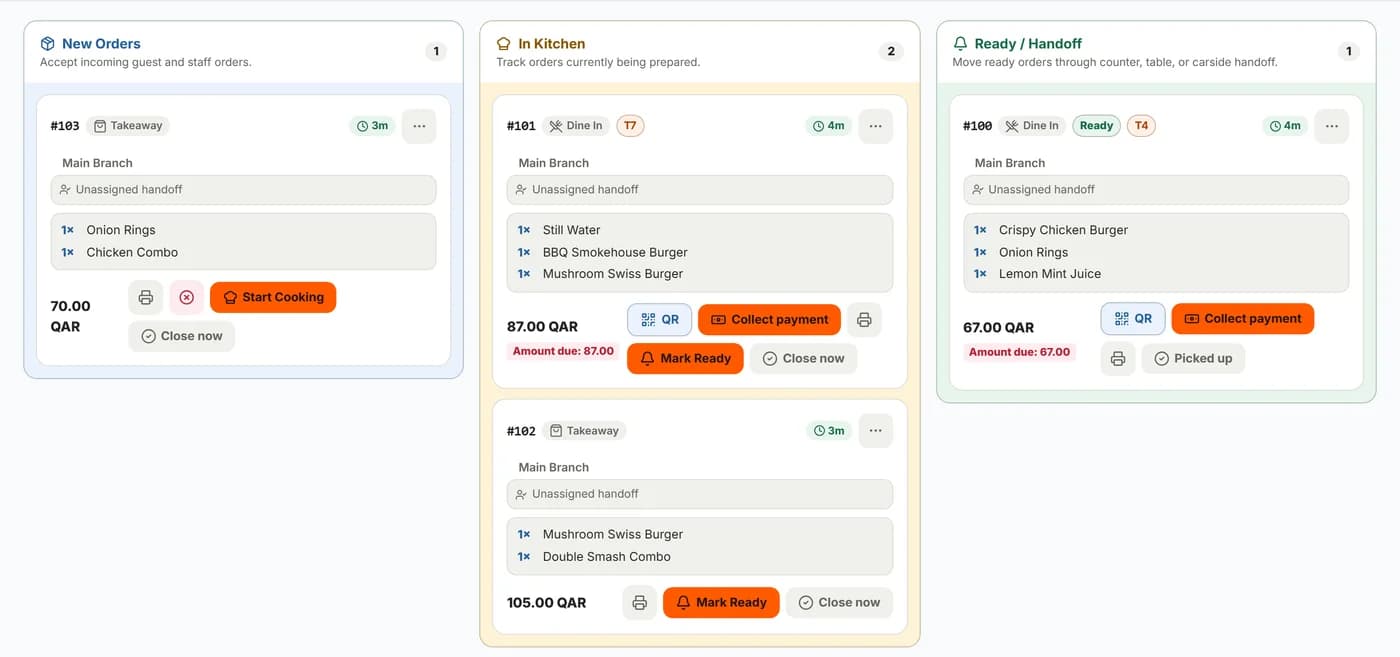
DashDine Live shows new, cooking and ready orders for each branch, from every channel.
- Start cooking, mark ready and close
- Collect payment from the board
- Pause new orders during a rush
- The history of each order
DashDine HQ
See how your restaurant is doing without standing in it. Live orders, sales, staff and offers for every branch, in one place.
14-day Pro trial. No credit card required.Talk to our team
Restaurants in Qatar using DashDine
 U Cafe
 Sabroso by Nouga
 Baab Al Rayyan Kitchen
 Kebab Khodmooni
 Lalezar
 The Ivy
Inside DashDine HQ
DashDine Live shows new, cooking and ready orders for each branch, from every channel.
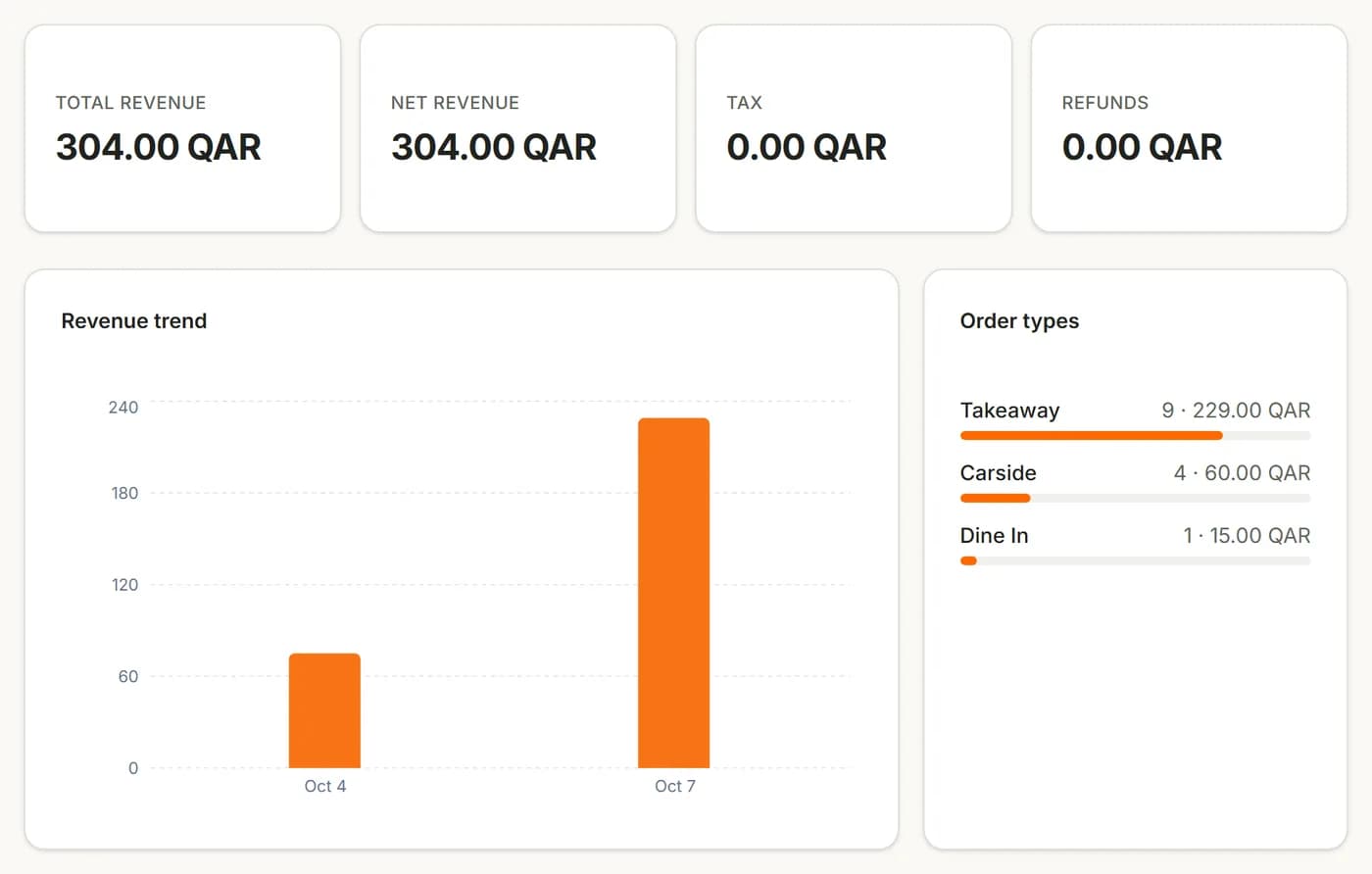
Reports cover sales, best-selling dishes, busy hours and kitchen times.
Each day closes with a Z-report: payment breakdowns, tips and discounts.

Owners, managers, cashiers and kitchen staff each get their own login or PIN.
An owner’s day
Morning
See what each branch sold and collected.
Lunch
See how busy each branch is, from your phone.
Afternoon
Run a happy hour or a promo code for a quiet time.
Evening
Sales, order types and busy hours, side by side.
End of the week
Reports, daily closings and the customer list export to CSV.
Tools
Promo codes, buy-one-get-one, spend rewards and happy hours.
Each customer’s orders and spend, by phone number.
Limit how many of a dish each service sells.
Share one menu across branches, and hide what a branch does not offer.
Hours, tables, order types, delivery areas, VAT and approval for each branch.
Choose what prints, where and when, for each branch.
Cash, card and online payments for each branch and order type.
Every screen in DashDine HQ works in both languages.
Reports cover orders taken in DashDine, not sales made in another POS.
Questions
DashDine HQ is where you manage menus, staff, branches, offers and reports. DashDine Live is the live orders view inside it.
Yes. Closing each day produces a Z-report of sales and recorded payments. You can review, export and reprint it.
Yes. Owners see every branch. Managers and cashiers only see the branches you give them.
Promo codes, buy-one-get-one, spend rewards and time-limited offers, by branch, with optional limits per customer.
Yes. Reports, daily closings and the customer list export to CSV.
Talk to our team
Leave your WhatsApp number. Our Doha team replies within 1 business day to help import your menu and set up your 14-day Pro trial.