

DashDine Go
Waiter and staff ordering app for restaurants
Your waiters take orders on their own phones. The order reaches the kitchen while they are still at the table.
- Works on staff phones
- A PIN for every team member
- Arabic and English
14-day Pro trial. No credit card required.Talk to our team
Restaurants in Qatar using DashDine
 U Cafe
 Sabroso by Nouga
 Baab Al Rayyan Kitchen
 Kebab Khodmooni
 Lalezar
 The Ivy
At the table
A table’s order on a waiter’s phone.
Take the order at the table
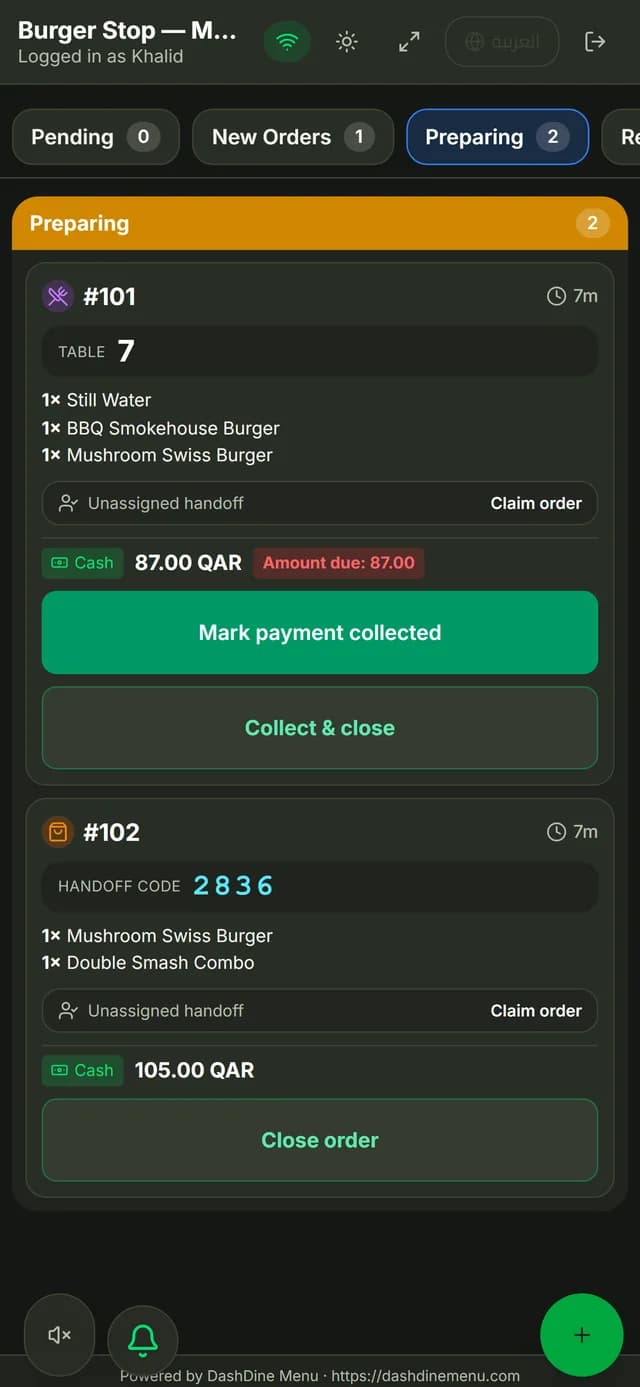
Pick the table, add dishes with their options and notes, and send.
The kitchen reads it clearly
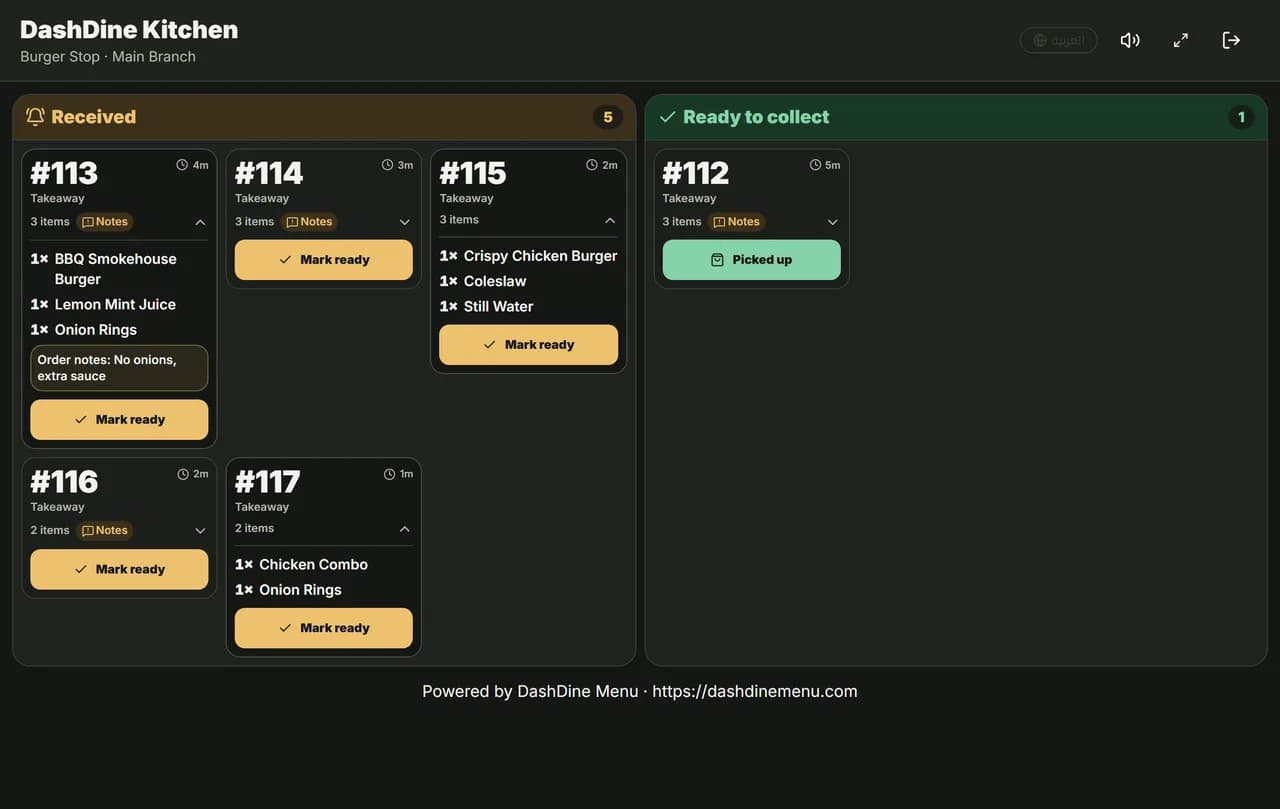
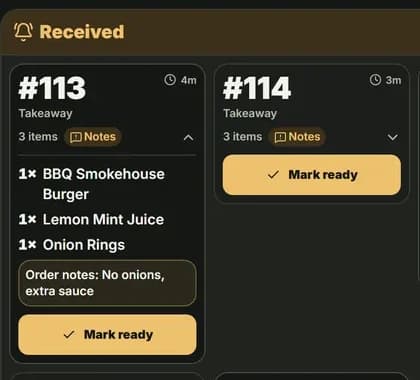
Typed options and notes arrive with the table number.
Serve when it is ready
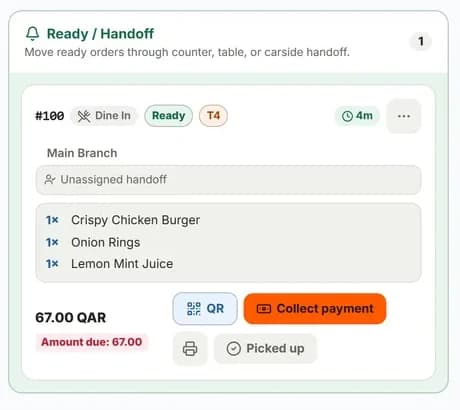
Ready orders show their table. Staff claim one to serve it.
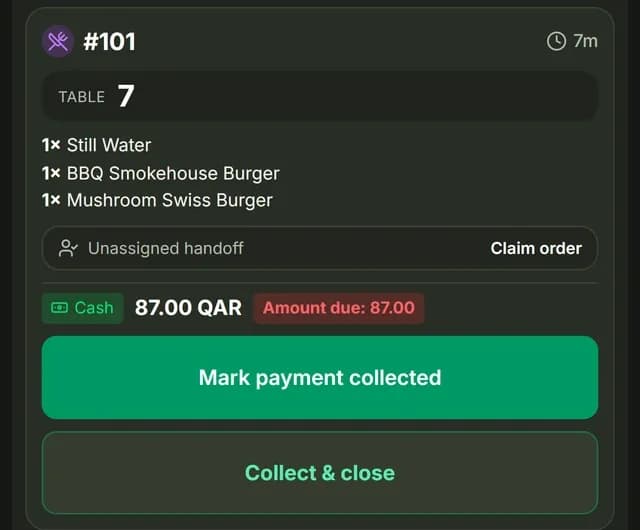
Collect at the table
Record cash or card, or use Collect & close in one step.
A waiter’s shift
How DashDine Go fits a shift.
Start of shift
Sign in with a PIN
Each person signs in with their own PIN on a phone or tablet.
During service
Get new-order alerts
The phone alerts the team when a new order arrives.
At the table
Send orders from the table
The kitchen gets the order while the waiter is still with the guest.
End of the meal
Collect at the table
Record cash or card without walking to the counter.
End of shift
Sign out
Every order and payment keeps the name of the person who did it.
Your floor team
One app for everyone on the floor.
Waiters
Take orders and record payment at the table.
- The table number on every order
- Options and notes for each dish
- Arabic or English
Runners
Know which order goes to which table.
- Ready orders with their table
- Claim an order to serve it
- Handoff codes for takeaway
Managers
See who did what, on every order.
- A personal PIN for each person
- Roles decide what each person can do
- Each person sees only their branches
Full list
Everything in DashDine Go.
Orders
- Any phone or tablet browser
- The table number on every order
- Options, extras and notes
- Waiter and guest orders in one kitchen
Payment
- The amount due on every order
- Mark payment collected
- Collect & close in one step
- Records card payments, does not take them
Team
- A personal PIN for each person
- Roles and branch access
- Every action carries a name
- Phone alerts for new orders
Handover
- Claim an order to serve it
- Handoff codes for takeaway
- Arabic or English for each person
Questions
What owners ask us.
Do waiters need to install an app?
No. DashDine Go opens in the browser on a phone or tablet. Each person signs in with their own PIN.
Can waiters see which dishes are ready?
Yes. Orders move from preparing to ready, so the team knows what to serve and where.
Can I control what each person can do?
Yes. Give each person a role and their branches. They only see those tools and places.
Do waiter orders and QR orders go to the same kitchen?
Yes. Both reach the kitchen screen with the table, dishes, options and notes.
Can a waiter take payment at the table?
Yes. Guests pay in cash or on your card machine. The waiter records it with Collect & close.
Talk to our team
Give your waiters more time with guests.
Leave your WhatsApp number. Our Doha team replies within 1 business day to help import your menu and set up your 14-day Pro trial.