

Skip to content
DashDine

DashDine POS

Restaurant POS system in Qatar

Take orders at the counter on a tablet or computer. Print the bill, record cash or card, and close the day with clear totals.

  • Arabic and English
  • Prices and bills in QAR
  • Runs on a tablet or computer

14-day Pro trial. No credit card required.Talk to our team

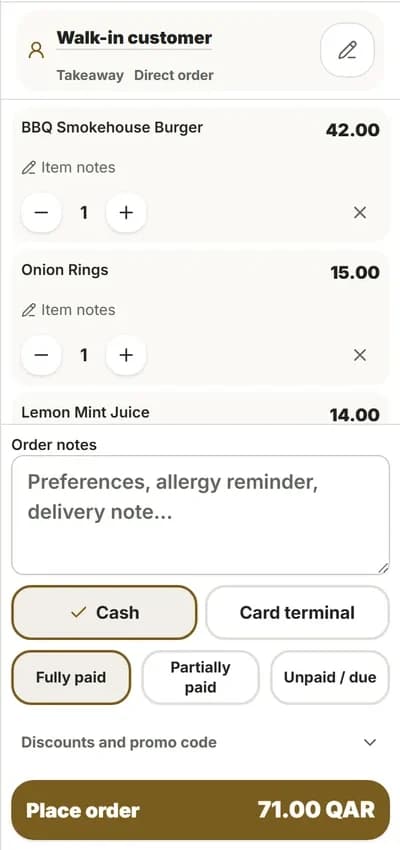
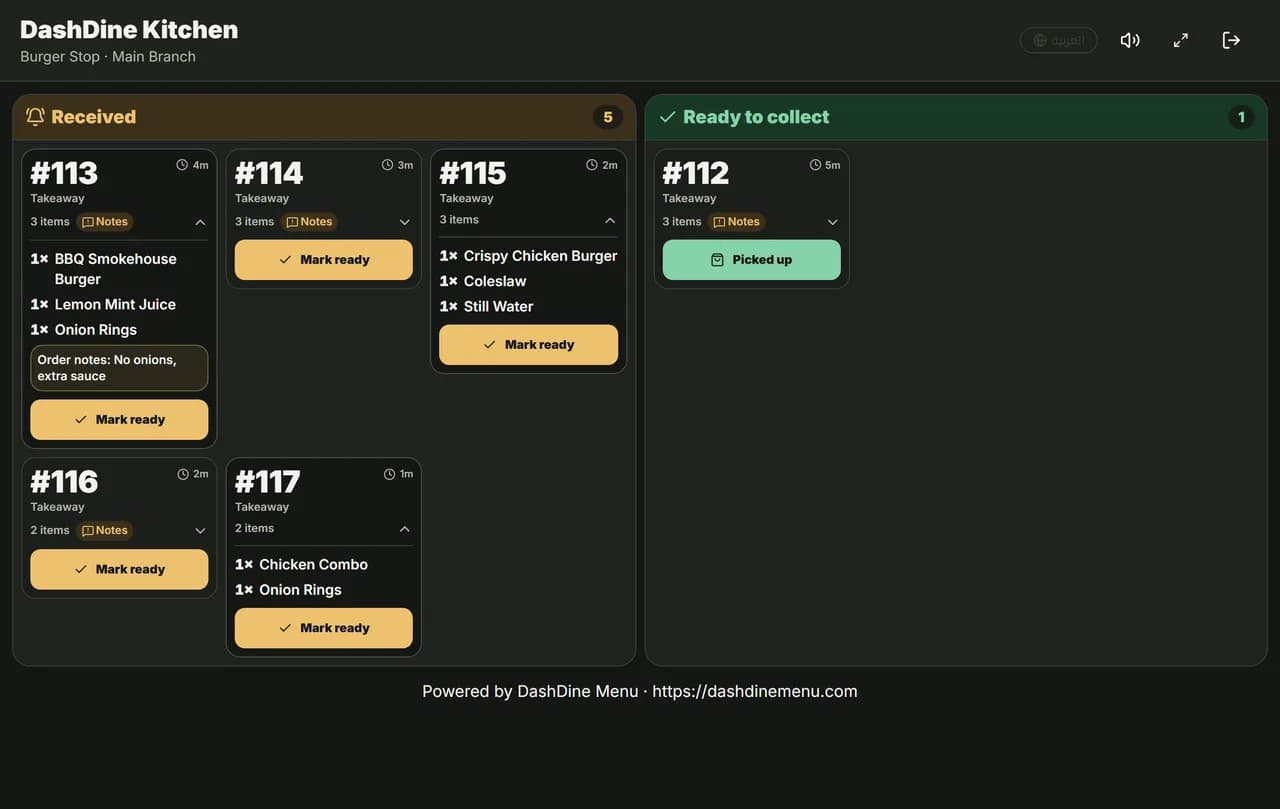
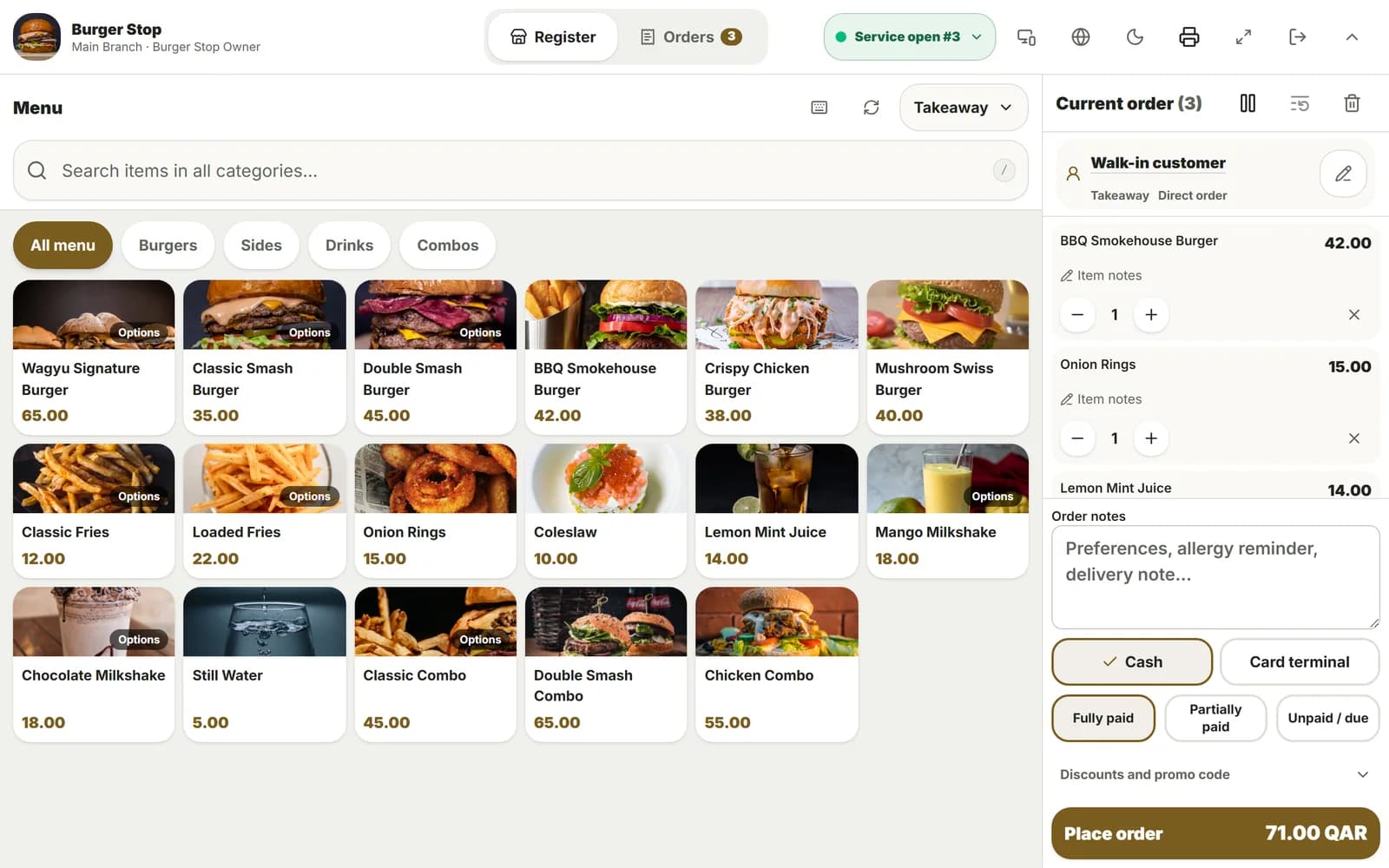
DashDine POS on a counter tablet with a takeaway order, next to the kitchen screen.

Restaurants in Qatar using DashDine

  • U Cafe
  • Sabroso by Nouga
  • Baab Al Rayyan Kitchen
  • Kebab Khodmooni
  • Lalezar
  • The Ivy

Feature tour

What DashDine POS does at your counter.

Five jobs at the counter. Pick one to see the screen.

Build any order on one screen

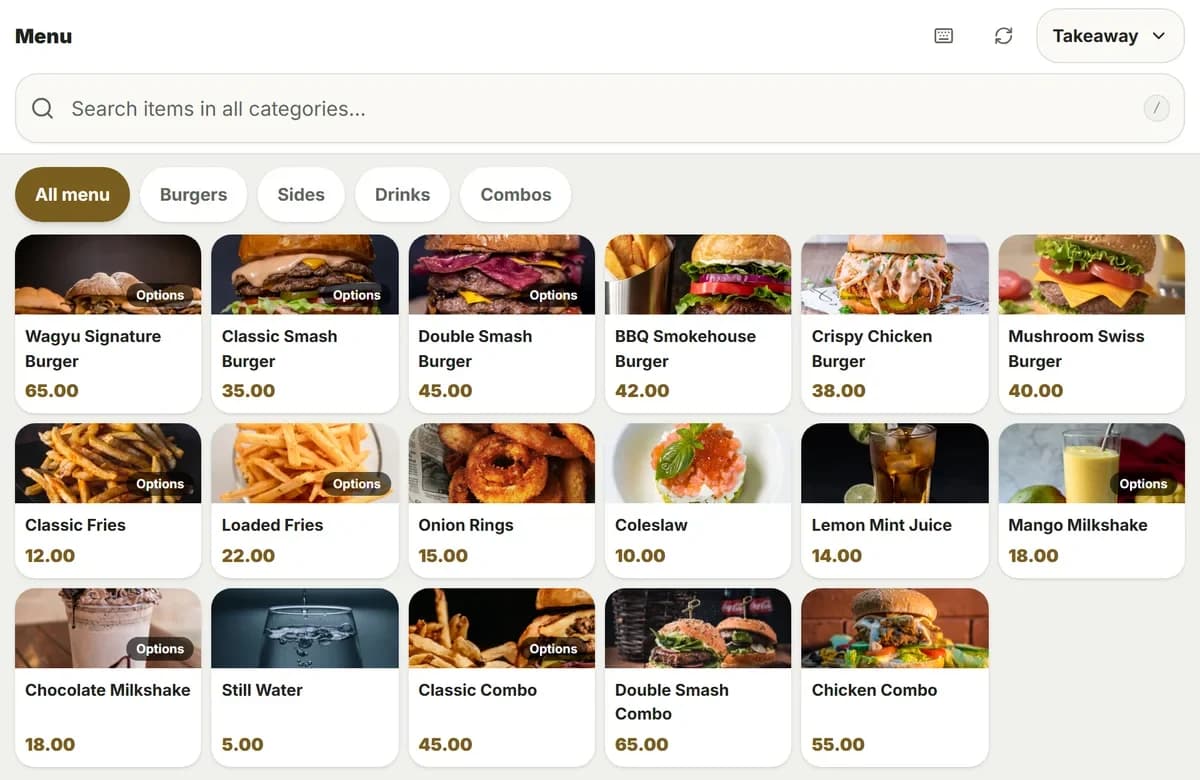
Your cashier finds a dish by photo or by search, adds the choices, and places the order.

  • Search every category in Arabic or English
  • Sizes, extras and a note on each dish
  • Dine-in, takeaway, curbside or delivery
  • Park a sale and finish it later
  • Keyboard shortcuts for busy times
The DashDine POS menu with dish photos, prices and category tabs.

A day at the counter

How DashDine POS fits your day.

  1. Morning

    Open the service

    Start the day's service and enter your cash float. Now orders can come in.

  2. Lunch rush

    Serve the line fast

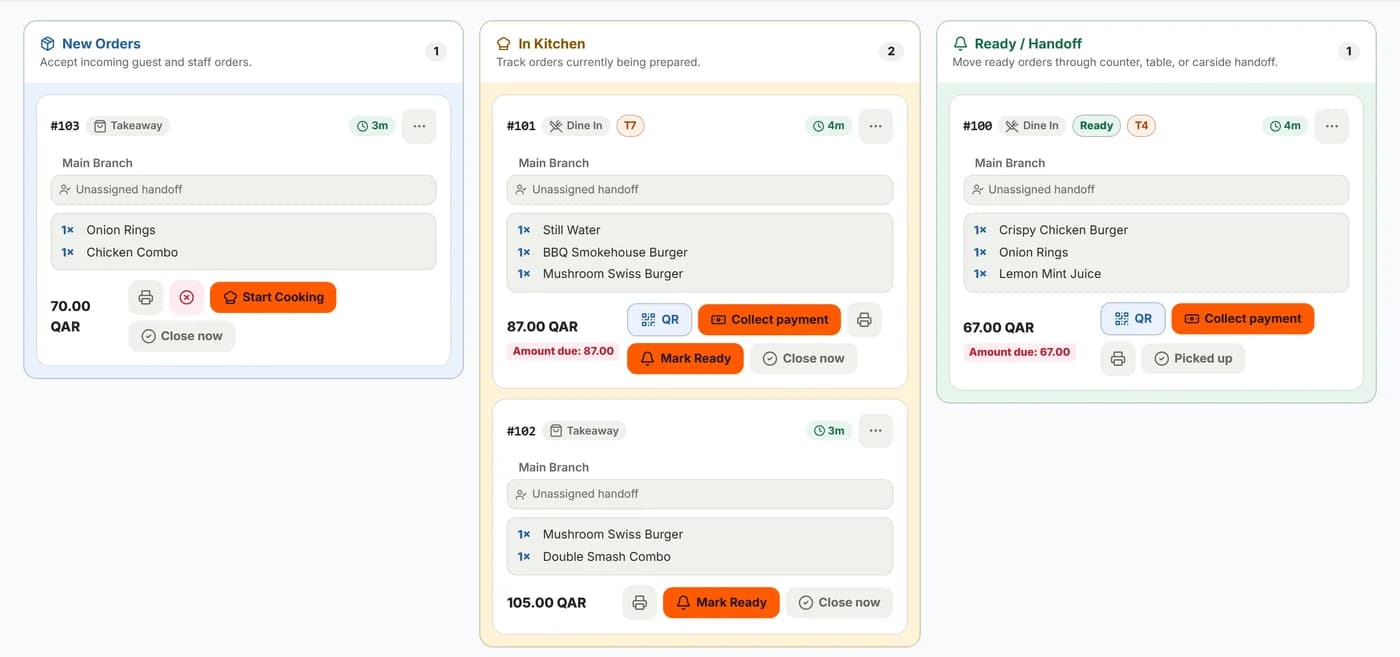
    Tap dishes from photos or search. Each order goes to the kitchen right away.

  3. Kitchen falls behind

    Pause new orders

    Pause new orders from every channel until the kitchen catches up, then resume.

  4. Afternoon

    Add delivery-app orders

    Enter a Talabat or Snoonu order with its reference. The kitchen sees it with the rest.

  5. Closing

    Close the service

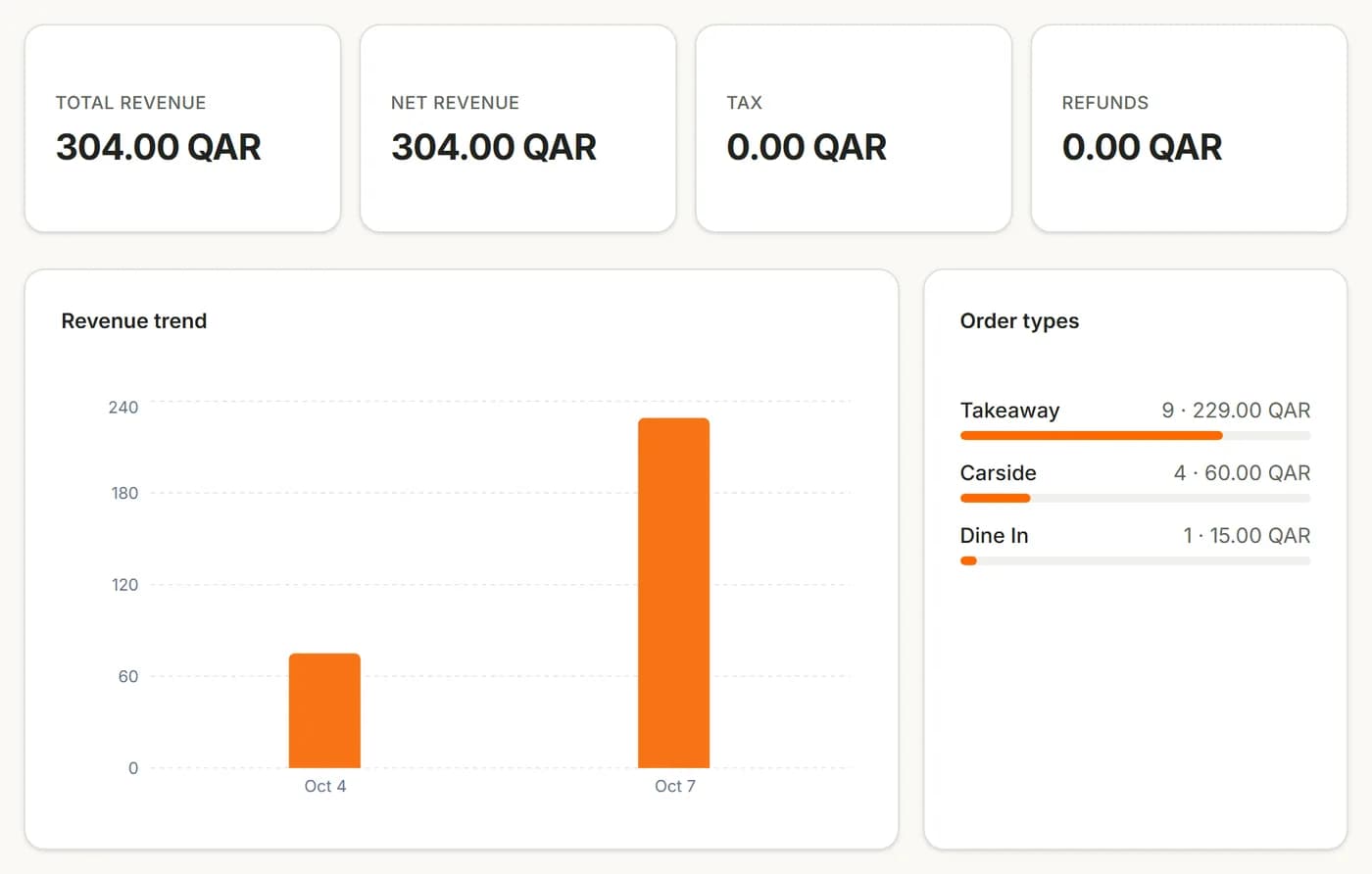
    Collect what is still due, close the service and read your Z-report.

Your setup

Use DashDine POS, or keep the POS you have.

Many restaurants already have a POS. DashDine works either way.

Use DashDine POS

Run the counter, the kitchen and your reports in one system.

  • Counter, table, kiosk and online orders together
  • Included in Pro
  • Free for 14 days, no credit card required

Keep your current POS

Use DashDine for QR, online and kiosk orders beside the POS you already have.

  • Your team keeps the POS it knows
  • Guest orders reach your kitchen screen or printer
  • To connect the two systems, talk to our team

Hardware

A tablet POS with no special hardware.

DashDine POS runs in the web browser. Use the devices you have, or standard ones.

  • Needed

    Tablet or computer

    Any tablet, laptop or desktop with an up-to-date web browser.

  • Your own

    Card machine

    Keep your bank's card machine. The POS records card payments. It does not take them.

  • Optional

    Receipt printer

    A thermal receipt printer at the counter. Or print from the browser and save PDFs.

  • Optional

    Kitchen screen or printer

    A screen for the kitchen display, or a printer for kitchen tickets.

  • Optional

    Customer display

    A second screen that shows guests their order, the total and a payment QR.

DashDine does not sell hardware. Not sure about a device? Send us the model and our team will check it.

Full list

Everything in DashDine POS.

Ordering

  • Photo menu with search
  • Sizes, extras and notes
  • Dine-in, takeaway, curbside and delivery
  • Park a sale and finish it later
  • Sold-out dishes are blocked
  • Keyboard shortcuts

Payments

  • Cash and card
  • Full, part or later payment
  • Discounts by percent or amount
  • Promo codes and automatic promotions
  • Payment QR for phone payments
  • Collect & close in one step

Guests

  • Find a guest by phone or name
  • Visits, spend and favourite dishes
  • Notes about each guest
  • One guest list for all your branches

Printing and kitchen

  • Kitchen screen or printed tickets
  • Kitchen tickets without prices
  • Receipts on paper or as a PDF
  • Owners choose who can reprint

Day and reports

  • Open and close the service
  • Cash float and cash check
  • Pause new orders
  • Z-report at closing
  • Prices and reports in QAR

Team and devices

  • Each cashier has their own login
  • Arabic or English for each cashier
  • Light and dark mode
  • Runs on any tablet or computer

Questions

What owners ask us.

WhatsApp us
Does DashDine POS work in Arabic and QAR?

Yes. Your team can use it in Arabic or English. Prices, bills and reports are in Qatari riyals.

Does the POS take card payments?

No. Guests pay on your own card machine. DashDine POS records the payment as cash or card.

Do I need special POS hardware?

No. It runs in the browser on a tablet or computer. Add a receipt printer and a kitchen printer if you want.

Can I add orders from Talabat or Snoonu?

Yes. Staff enter Talabat, Snoonu, Keeta or Rafeeq orders with their reference. The kitchen sees them too. They are not imported automatically.

Can I keep my current POS?

Yes. You can use DashDine beside your current POS. If you want the two systems connected, talk to our team.

Does finishing an order mark it as paid?

No. Cooking and paying are separate. Staff record the payment when it happens, for example with Collect & close.

Talk to our team

Run your counter with less effort.

Leave your WhatsApp number. Our Doha team replies within 1 business day to help import your menu and set up your 14-day Pro trial.

Get a reply on WhatsApp

Just your number. We reply within 1 business day.

We use these details only to respond to your request. They are not added to analytics.